Posts

Showing posts with the label Prusa MK3

I Love Resin Prints, not Resin Printing
Image
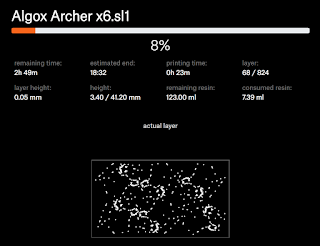
I just started a batch of six  Algox Archers on my Prusa SL1 and came to a bit of a realization: I love my resin prints, but I really dislike running the resin printer.  This isn't a complaint about the machine, as it's really incredible, but I just really prefer using my MK3 and wanted to write out my feelings on SLA vs. FDM printing. The biggest driver for me is the consumables on the printer itself.  The major consumables on my FDM printer are the nozzles and the printer bed.  Because my printer has a magnetic printing bed, replacing it is trivial, so no worries there.  Also, since I just print in PLA and never scrape the bed with any tools (I just flex it to release my prints), it's still in great shape and shows no sign of needing replacement.  I have replaced my nozzle several times, and while it's a bit dangerous to work with ~250 degree bits of metal, I have yet to burn myself and the overall process isn't that difficult.  Also, nozzles are ...

Resin Printing First Impression!

Image
Hi everyone - I'm happy to announce that I'm the proud owner of a Prusa SL1 resin printer, meaning that I'm going to have a whole new set of 3D printing lessons to learn and then write about!  Since I just finished my first real resin print, I guess that this is an appropriate time to write about my first impressions, and specifically how resin printing on a Prusa SL1 differs from PLA printing on a Prusa MK3. The first and most apparent difference for me is the amount of effort that goes into a print.  When I want something on my MK3, I just plug in the SD card, wipe down the bed with IPA, then start the print.  I check on it every hour or so to make sure that nothing's gone terribly wrong, then a few hours later, I come back and turn off the machine, pop the object off of the bed, and remove the supports.  It's nice and simple.  Resin printing has a lot more process to go through. First, you double-check that everything's clean, then you measure out your re...

Suspected Prusa MK3 Bed Leveling Issue

Image
I've been printing a lot of minis lately, so I decided that I needed to print another mini storage tray to help me cart them around.  I've already printed 3 of the things, so I loaded it up in Slic3r and generated some fresh gcode (just to ensure that I had the latest settings), then started the print and went back to modelling, occasionally glancing at the printer to make sure that it hadn't caught fire or something ;) Partway through the first layer, I noticed that something wasn't quite right.  The MK3 has an auto-bed leveling feature and it's worked great for me, so I haven't paid too much attention to the various Reddit threads that discussed the importance of bed leveling... but I have read them.  And, judging by the inconsistent thickness of that first layer, I figured that I had somehow come across a bed leveling issue.  Well it turned out to be a little yes but mostly no. If you're not familiar with the model that I'm trying to print, those...

E3D V6 Nozzle Socks

I recently bought a 3 pack of silicon nozzle socks for my Prusa Mk3 and have so far really liked the one that I installed!  A guy on reddit mentioned them as being useful to protect against the blob .  I'll admit that's certainly a good use for them, but I've found that they do one surprising nice thing for me on every print: make my wipe more effective. When the nozzle is heating up before a print, there's always some amount of material leakage due to the physics of holding a viscous fluid in a container with a hole in the bottom (aka the nozzle).  When the printer goes through its bed self-leveling process, that's even more time for more leakage to occur, so by the time the printer gets to the start of the print, I might have a few cm of filament dangling from the bottom of my nozzle. On my old .4 mm nozzle, that line of filament tended to be just that, a line.  My .25 mm nozzle likes to curl the filament, though.  I know what you're thinking: partial nozz...

Upgrading the Prusa MK3 Nozzle from 0.4 mm to 0.25 mm

Image
I recently upgraded my Prusa MK3's nozzle from the stock 0.4 mm nozzle to a smaller 0.25 mm nozzle to improve my miniature printing results.  Prusa has really good instructions for nozzle replacement , which I mostly followed.  After some consideration, I decided to only remove the fan mouthpiece, since my intent was to hold the heater block lower than its attached wires anyway (so as to avoid those wires).  It worked fine for me, but you should probably stick to the official process unless you feel comfortable with experimenting a bit and possibly replacing something if you break it on accident. I heated the nozzle to 215 degrees so that I could remove my filament, then brought it up to 255 degrees and went to work.  I took out my 17 mm spanner and a 7 mm socket wrench, then prepared for the job.  After bracing the heater block with my spanner, I used the socket wrench to slowly unscrew the nozzle (remember, lefty-loosey, righty-tighty, but you're working ups...

Prusa MK3 Stringing at .05 mm Layer Height Resolved!

Image
I've had a Prusa MK3 for several weeks and have printed nearly a kilogram of upgrades for my boardgames.  Most of that has been terrain features, which have printed beautifully at 0.1 mm layer height (check out the things I've made for some examples).  Sure, the print lines are visible (especially after applying a wash), but I'm still very happy with the results.  I haven't been so happy with attempts at printing miniatures at 0.05 mm layer height. I was vexed to find that 0.05 mm layer height prints on my brand new printer looked like garbage.  They were so covered with strings that I couldn't even remove the support material.  Admittedly, they'd be pretty awesome if I exclusively played campaigns in the Mirkwood, but that's really not what I'm going for. I tried all sorts of things to resolve the situation, and some certainly helped.  I lowered my nozzle temperature from 210 to 200 degrees.  I adjusted my printing speeds so that they'd max ...